
Skip to content
SmartSGI
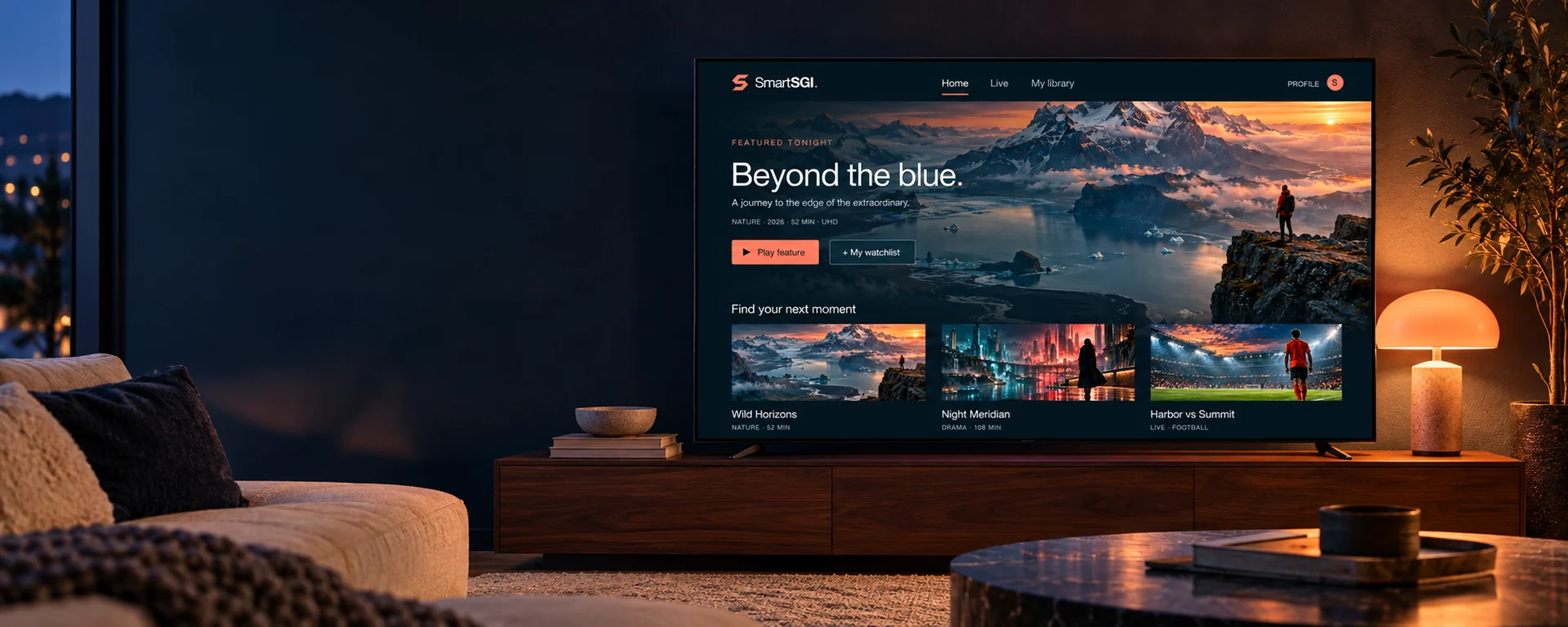
A warmly lit living room with a television showing the SmartSGI home screen.

IPTV made straightforward

SmartSGI — IPTV plans for your viewing setup

Choose how long you want your subscription to run and how many connections you need, check that your device is supported, and get setup guidance from our team before you buy.

1–5 simultaneous connections Terms from 1 month to 2 years Works with players you already use

What SmartSGI is

Internet television, explained without the jargon

IPTV — internet protocol television — delivers live channels and on-demand titles over your home broadband instead of a satellite dish or a rooftop aerial. A SmartSGI subscription gives your player the credentials it needs, and the picture arrives through the same connection you already use for everything else.

There is no extra cabling and no engineer visit. You install a compatible IPTV player on a device you already own, enter the details we send you, and your channel list and programme guide load inside the app.

Every SmartSGI plan covers the same catalogue and the same features. The only two things you choose are how long you want the subscription to run and how many connections you need streaming at the same time.

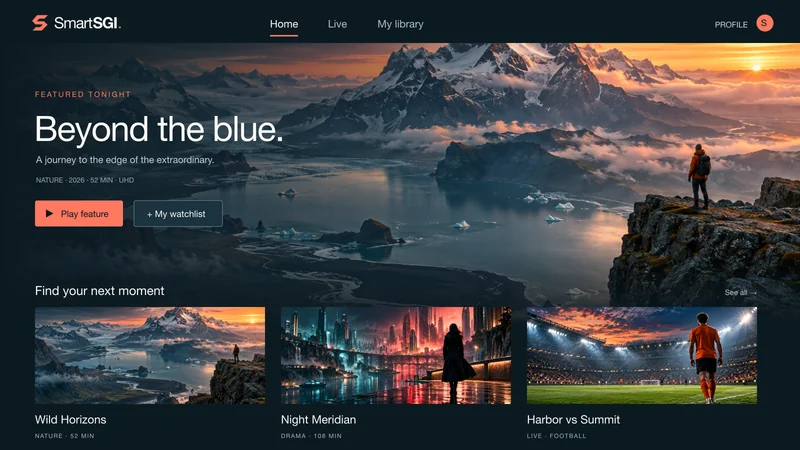
The SmartSGI player interface showing a featured title and rows of programme thumbnails.

Subscriptions

SmartSGI plans and pricing

Pick how many connections you need, then compare the five subscription lengths. Every price below is the total for the whole term, shown in USD.

How many connections do you need at the same time?

Each connection streams on one device at a time. Choosing 3 devices means three people can watch different things at once — it does not change which devices are supported.

6 Months

6-month subscription

$49.99

Total for the full 6-month term, in USD.

Approximately $8.33 per month equivalent — not a monthly charge.

Approx. save $70 vs monthly access

1 simultaneous connection

  • Watch on any supported device
  • Anti-Freeze™ 9.8 Technology
  • 130,000+ movies & series (VOD)
  • 34,000+ live premium channels
  • 4K / HD / FHD / UHD, where the source and hardware support it
  • Free automatic updates
  • Available EPG programme guide
  • 7-day refund policy
  • 24/7 free support
  • Privacy protection and built-in VPN
3 Months

3-month subscription

$39.99

Total for the full 3-month term, in USD.

Approximately $13.33 per month equivalent — not a monthly charge.

Approx. save $20 vs monthly access

1 simultaneous connection

  • Watch on any supported device
  • Anti-Freeze™ 9.8 Technology
  • 130,000+ movies & series (VOD)
  • 34,000+ live premium channels
  • 4K / HD / FHD / UHD, where the source and hardware support it
  • Free automatic updates
  • Available EPG programme guide
  • 7-day refund policy
  • 24/7 free support
  • Privacy protection and built-in VPN

1 Month

1-month subscription

$19.99

Total for the full 1-month term, in USD.

Approximately $19.99 per month equivalent — not a monthly charge.

1 simultaneous connection

  • Watch on any supported device
  • Anti-Freeze™ 9.8 Technology
  • 130,000+ movies & series (VOD)
  • 34,000+ live premium channels
  • 4K / HD / FHD / UHD, where the source and hardware support it
  • Free automatic updates
  • Available EPG programme guide
  • 7-day refund policy
  • 24/7 free support
  • Privacy protection and built-in VPN

Showing prices for 1 simultaneous connection. Every SmartSGI subscription includes the same features — only the length and the number of connections change.

Orders are arranged with our team over WhatsApp, where we confirm the price and send your setup details. There is no automated checkout on this website yet.

Why SmartSGI

What you get with a SmartSGI subscription

No dish, no installer and no long contract you cannot leave. Here is what the service actually gives you.

Works with devices you own

Use a Smart TV, a Fire TV stick, an Android TV box, a phone, a tablet or a computer. Your subscription travels with the credentials, not with a single piece of hardware.

One straightforward setup

Install a supported IPTV player, enter the details we send you, and your channel list loads inside the app. Our written guides cover each device type step by step.

Choose your own term

Terms run from one month to two years. Shorter terms keep your commitment small; longer terms bring the monthly equivalent down considerably.

Guidance before and after you buy

Our team helps you pick a plan, walks through the SmartSGI setup on your device and stays available if something stops playing the way you expect.

Clear, up-front pricing

The figure on each card is the total for the full term in US dollars. The monthly equivalent is shown for comparison only — it is not billed monthly.

Quality matched to your setup

Resolution depends on the source, your hardware and your connection. We tell you what each device realistically needs rather than promising a single number.

What you can watch

Live television, films and series in one place

SmartSGI groups live channels and on-demand titles into categories you browse from the same player, so moving from a match to a film does not mean switching apps.

  • News
  • Kids & family
  • Music
  • International programming
  • Programme guide (EPG)

Category availability depends on your subscription and on the rights held for each region. Contact us before ordering if a particular type of programming is the reason you are subscribing.

Getting started

From choosing a plan to watching, in five steps

Ordering a SmartSGI subscription is handled by our team rather than an automated checkout, so you can ask questions before you commit to anything.

  1. 1

    Choose your plan

    Pick the term and the number of simultaneous connections that suit your household.

  2. 2

    Send your order

    Use the Order Now button, which opens WhatsApp with your selection already written out.

  3. 3

    Confirm and pay

    We confirm the price and the payment method with you directly before anything is activated.

  4. 4

    Receive your details

    Your SmartSGI credentials and a link to the matching setup guide are sent to you.

  5. 5

    Set up and watch

    Install the supported player, enter the details, and your channel list loads.

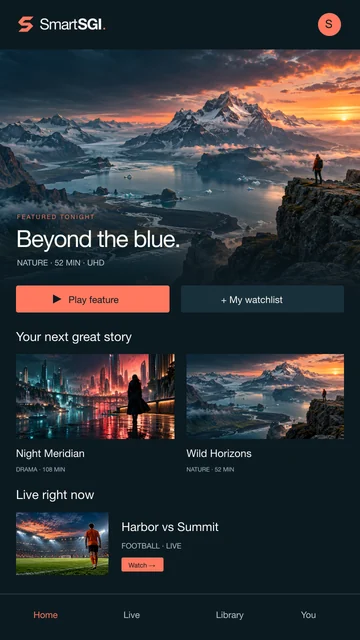
The SmartSGI interface on a phone, showing film thumbnails and a live match.

Picture quality

What your picture quality actually depends on

SmartSGI streams can reach HD, Full HD, 4K and UHD where the source content, your hardware and your connection all support it. Four things decide what you see:

  • A stable connection — A steady broadband line matters more than a headline speed. Wired Ethernet is the most reliable option for a main television.
  • Hardware that can decode it — A 4K stream needs a 4K-capable device and screen. Older sticks and televisions may be limited to HD.
  • A player that suits the device — Players differ in how they handle buffering, the programme guide and catch-up. We suggest one that matches your hardware.
  • The source itself — Not every channel or title is produced at the same resolution, so quality varies across the catalogue.

If playback stutters, the cause is usually the connection, the device or the player rather than the subscription itself. The SmartSGI support team can work through those with you one at a time.

Support

Talk to the SmartSGI team

Whether you are comparing plans or working out why a channel will not load, you can reach a person directly.

What we can help with

  • Help choosing which SmartSGI plan fits your household
  • Device setup and player installation
  • Account and activation questions
  • Troubleshooting playback, the guide or channel lists
  • Payment and renewal enquiries

When you contact us, have your device type and the player you are using ready — it makes setup questions much quicker to answer. Never send your password in a public message.

Questions

Frequently asked questions

The things people ask us most before they subscribe.

What is SmartSGI?

SmartSGI is an IPTV service: a subscription that delivers live television channels and an on-demand library over your internet connection. You watch through a compatible IPTV player on hardware you already own, using the credentials we send you after your order.

How does an IPTV subscription work?

Instead of a signal arriving through a dish or an aerial, the channels are streamed over your broadband. Your subscription is a set of login details. You enter them once into a supported player, and that player loads the channel list, the on-demand library and the programme guide.

Which devices can I use?

Smart TVs that can install a supported player, Amazon Fire TV sticks and boxes, Android TV and Google TV devices, Apple TV, Android phones and tablets, iPhone and iPad, and Windows or Mac computers. The compatible devices page covers each one, including what to check before you order.

How do I install a compatible IPTV player?

Install the player from your device's own app store, open it, and enter the details we send you. The exact fields differ between players, which is why we point you at the guide that matches your hardware. Our installation guide covers the common device types step by step.

Can I use one subscription on several devices?

You can set your details up on any supported device. What the plan limits is how many streams can run at the same time. A 1-connection plan plays on one device at a moment; a 3-connection plan lets three people watch different things at once. Choose the connection count to match how your household actually watches.

What internet connection do I need?

Stability matters more than a headline speed. A steady connection handles HD comfortably, and 4K needs more headroom plus hardware and source content that support it. For a main television, a wired Ethernet connection is more dependable than Wi-Fi.

How will I receive my setup instructions?

After your order is confirmed, we send your SmartSGI details and the matching setup guide through the same WhatsApp conversation you ordered in. If you would rather receive them another way, tell us when you order.

How do I contact customer support?

Message us on WhatsApp using any of the buttons on this site, or call +44 7868 240819. Telling us your device, your player and what you are seeing on screen gets you a useful answer fastest.

How do I renew my subscription?

Message us before your term ends and we will arrange the renewal. Nothing renews automatically, and no payment method is stored on this website, so a subscription cannot be charged again without you arranging it.

What should I do if my stream buffers?

Work through it in order: restart the player, then the device, then the router. Test a different channel to see whether the problem follows the stream or stays with the device. If you are on Wi-Fi, try a wired connection. If it persists, send us the channel name and your device type and we will look at it with you.

Still unsure about something? Read the full FAQ or ask us directly.

Ready to explore SmartSGI?

Browse the available subscription options or contact our team for help choosing a plan and setting up your device.

Chat on WhatsApp (opens in a new tab)